 22 teachers signed up last week
Stress-free seating charts for your classroom
No credit card needed - 1 free class forever
3 steps to a seating chart
As easy as 1, 2, seated
Getting started is simple. Create your class, build your room, and generate a practical chart in just a few clicks.
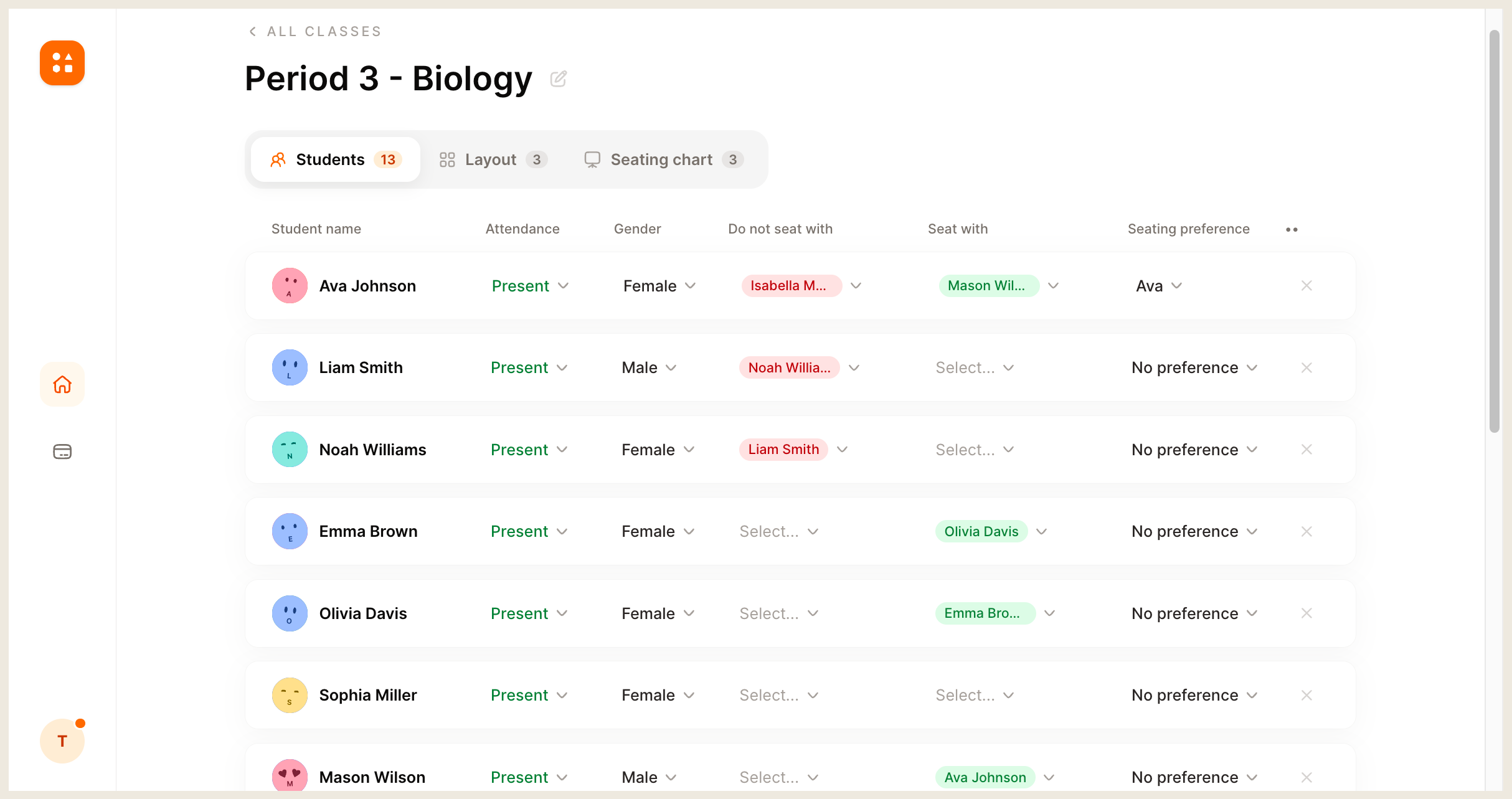
Create your class
Name your class, add your roster, and set who should sit together or apart.
Build your layout
Add desks and pods, drop in your teacher's desk, whiteboard and door, then color and group everything to match your room.
Generate and adjust
Run auto-seat, review the chart, then click students into place until it feels right.
Plan every seat in minutes
Features that make classroom seating easier
From room layouts to student rules, Classroom Seating Chart gives teachers the tools to build practical seating charts without busywork.
One-click auto seating
Set your classroom rules and let Classroom Seating Chart place students in seconds.
Seat together or apart
Keep distracting pairs apart and seat partners together, handled automatically.
Seat preferences
Mark who needs the front, middle, back or a specific desk group.
Seat today's class
Mark absences and auto-seat only the students who showed up today.
Design your room
Build a layout with desks and hexagon pods, then add a teacher's desk, whiteboard and door to match your real classroom.
Place students by hand
Click any student onto any seat whenever you want the final call.
Student profiles
Track names, avatars, gender and seating preferences in one place.
Reusable charts
Create multiple seating charts for the same class and switch as the room changes.
Download PNG or PDF
Export a clean chart to print, project or share with your class in seconds.
Classroom Seating Chart
Classroom ready
Auto-seat
28
students placed
Built for real classrooms
Why choose Classroom Seating Chart for your seating charts
Classroom Seating Chart keeps the messy parts of classroom seating simple. Build a room that matches yours, add the rules students need, and create a chart that is easy to adjust before class starts.
Start your chartFAQs
Got questions? We have answers.
Find quick answers about building classrooms, setting seating rules, and getting started with Classroom Seating Chart.
How does Classroom Seating Chart create a seating chart?
You set your rules and preferences, then click Auto-seat. The app places every student in seconds, keeping apart pairs separated and partners together where it can, and seating students on their preferred desks. You can then fine-tune any seat by hand.
Can I stop certain students from sitting together?
Yes. Add a keep-apart rule for any pair and auto-seat will avoid placing them next to each other. If a rule cannot be met for a tight layout, the app flags it so you can adjust. You can also pair students together for buddy or group seating.
Can I build my real classroom layout?
Yes. Paint desks or hexagon pods onto a grid to match your real room, then color them and tag them into named groups like "Front group". Students with a matching preference get seated in that group automatically. You can also drop in a teacher's desk, whiteboard and door so the chart looks like your actual classroom.
Can I adjust the chart after auto-seating?
Always. Click a student in the roster, then click a seat to place them, or click an occupied seat to free it up. Auto-seat gives you a starting point and you keep the final say.
What about students who are absent?
Mark a student absent and auto-seat will skip them, seating only the students who are in today. Switch them back to present whenever they return.
Is there a free plan for teachers?
Yes. The Free plan is free forever and includes 1 class with unlimited students, layouts, seating charts, rules and auto-seat. Pro is a one-time $30 for up to 100 classes, with no subscription ever.
Do I need an account to start?
No. You can build your first class right in the browser without signing up. Create a free account when you want your work saved to the cloud and synced across devices. Your guest class moves with you when you sign in.
Can I print, project or share my seating chart?
Yes. Download any chart as a PNG or PDF to print for a substitute, project on the board, or share with your class. The PDF is clean and print-ready.